

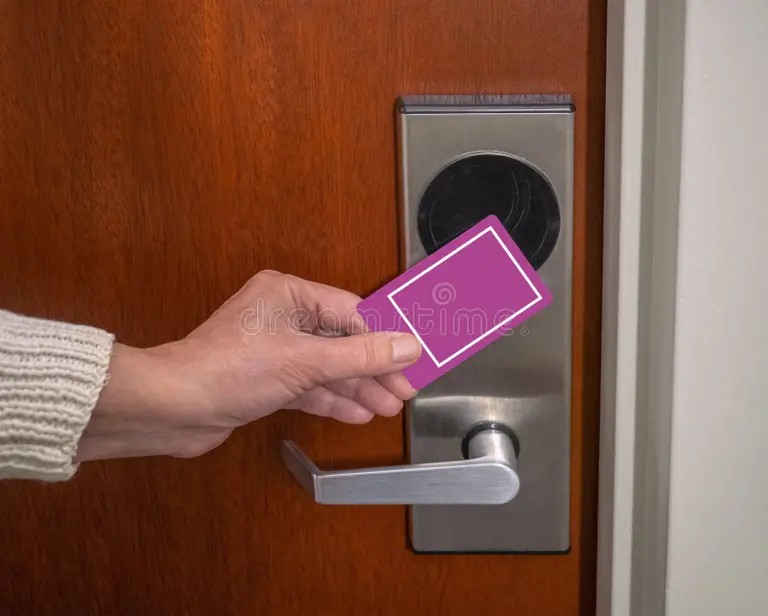
A blank key card is an unprogrammed physical access credential compatible with a specific lock or access-control system. Blank key cards do not grant access until an authorized administrator or front-desk employee encodes them with an identity, permission set, and usually a validity period. The card itself may contain a magnetic stripe, RFID chip, NFC chip, or proximity technology. Blank refers not necessarily to an absence of embedded technology but also to the absence of programmed access data. Before encoding, a blank card is simply a hardware credential waiting to be activated.
What Is a Blank Key Card?
Blank key cards are credit-card-sized credentials supplied without guest, employee, room, door, or time-based access data. Understanding the terminology helps clarify what blank cards are and how they differ from other credential types in a facility’s inventory.
Card Types Compared
| Card Type | What It Contains | When It Grants Access |
| Blank card | Hardware only, no access data encoded | Never, until programmed |
| Encoded card | Active access permissions for specific doors and times | Immediately, within defined parameters |
| Master card | Broad access across multiple areas | As defined by the facility’s access policy |
| Staff card | Role-specific access for employees | Within permitted areas and hours |
| Deactivated card | Expired or revoked permissions | Never, until re-encoded |
Cards must match the facility’s lock technology, encoder, reader, and access-control platform. A card formatted for one lock system will not work with another, even if the cards look identical.
How Blank Key Cards Become Working Access Credentials
Turning a blank card into a working access credential follows a consistent process across most systems.
Step 1: Select a Compatible Card
Confirm the card’s technology type, frequency, memory, and security requirements, and compatibility with the facility’s specific lock system and encoder. Assuming that all RFID, NFC, or magnetic-stripe cards work with any reader is a common and costly mistake.
Step 2: Encode or Enroll the Card
The front desk, security office, or system administrator uses an encoder or reader-writer paired with the relevant property-management or access-control software. The system assigns the card to specific doors, areas, time windows, and expiration rules. Depending on the system, this process takes seconds.
Step 3: Issue the Credential
The encoded card is given to a guest, employee, visitor, contractor, resident, student, or member. Issuance should be recorded according to the organization’s security procedures, particularly for staff, contractor, and master credentials.
Step 4: Validate, Revoke, Reissue, or Expire Access
The system can deactivate access at checkout, shift end, contract completion, credential loss, or a scheduled expiration date. Revoking a lost card and issuing a new blank replacement is typically faster and less disruptive than physical rekeying.
Blank Key Cards in Hotels and Resorts
Hotels are among the largest users of blank key card inventory, with multiple encoding and issuance workflows running simultaneously across the property.
Guest Room Access
Cards are encoded at check-in for a specific room and stay period. Duplicates can be issued for approved guests without changing the physical lock. At checkout or at a programmed expiration time, the credential becomes inactive automatically.
Amenity and Common-Area Access
Hotels use encoded blank cards to manage access to:
- Pools, gyms, spas, and lounges
- Club floors and business centers
- Parking garages and elevators
- Lockers, storage areas, and restricted amenity spaces
Permissions can be limited by reservation type, room category, membership tier, or operating hours, giving properties precise control over who enters what and when.
Staff and Contractor Access
Housekeeping, engineering, maintenance, front-desk, food-service, security, and vendor credentials are all encoded from blank card stock. Role-based access assignments limit each credential to the doors and areas that role requires, rather than issuing broad master access. This limits risk if a card is lost or a contractor’s engagement ends.
Lost-Card Replacement
When a guest or staff member reports a lost card, the existing credential can be revoked in the system and a new blank card encoded as the replacement. In most electronic lock systems, this process requires no physical work at the door itself.
Blank Key Cards in Other Access-Controlled Facilities
The same blank card infrastructure used in hotels applies across a wide range of other environments.
Offices and Commercial Buildings
Main entrances, individual suites, meeting rooms, server rooms, storage areas, parking gates, and restricted floors are all managed through encoded credentials drawn from blank card inventory. Large employers maintain substantial blank card stock to support onboarding, visitor credentialing, and replacement issuance without delay.
Healthcare and Senior Living
Staff-only areas, medication rooms, supply storage, resident wings, and controlled entry points require reliable credential management. Healthcare organizations must follow their own privacy, safety, and access-control policies when managing card issuance and deactivation.
Schools, Campuses, and Student Housing
Dormitories, classrooms, labs, libraries, gyms, parking areas, and staff-restricted zones use encoded card credentials across university and K-12 environments. Student housing programs issue cards at move-in and deactivate them at the end of each term.
Multifamily and Residential Communities
Building entries, package rooms, amenity spaces, parking garages, and in some systems, individual unit doors are all managed through encoded credentials in modern multifamily properties. Residents receive encoded cards at move-in, and access is updated or deactivated when leases change.
Industrial, Warehousing, and Government Facilities
Time-restricted employee access, controlled equipment rooms, loading areas, secure storage, and sensitive operational zones use encoded card systems that draw on blank card inventory for onboarding, rotation, and replacement.
Why Facilities Keep Blank Key Cards in Inventory
Maintaining a reliable supply of blank cards is an operational necessity as:
- Fast check-in, employee onboarding, visitor credentialing, and replacement issuance all depend on available stock.
- Ordering cards after stock runs out creates delays that affect guests, employees, and operations.
- Separate inventory for guest, staff, contractor, visitor, and temporary credentials helps maintain system organization.
- Branded cards support the guest or resident experience while keeping the security technology compatible with the existing system.
- Stock for damaged, demagnetized, lost, and malfunctioning credentials should be maintained separately from primary issuance supply.
Security Benefits of Properly Managed Blank Cards
When blank cards are managed correctly within an access-control program, they support a more secure facility:
- Access can be assigned only to approved doors and areas, limiting exposure from any single credential.
- Time-limited credentials automatically reduce access after checkout, shift end, or contract completion.
- Lost cards can be deactivated and replaced quickly without physical rekeying.
- Access logs, where system capability supports it, allow administrators to review credential activity.
- Role-based permissions reduce unnecessary access to sensitive spaces.
Key Card Security and Inventory Best Practices
Blank card stock should be treated as a security asset. Store blank cards in a secured location and limit encoder and software access to authorized personnel only. A documented issuance and return process for staff, visitor, contractor, and master credentials reduces the risk of unaccounted cards circulating in the facility.
Expiration, Card Markings, and System Policy
Expiration dates should be set appropriately for each credential type, and access should be removed promptly when roles or stays end. Staff should never write room numbers, access levels, or other sensitive information visibly on card surfaces, since a lost or discarded card carrying that information creates a security gap. Card technology, encoder keys, and system configurations should fall under the facility’s access-control policy rather than being managed informally.
Damaged, Decommissioned, and Lost Cards
Damaged cards should be replaced, and decommissioned cards disposed of or deactivated according to facility procedures rather than being left in circulation. Lost-card and duplicate-card processes should be reviewed regularly to identify gaps in the issuance workflow before those gaps create a problem.
How to Choose Compatible Blank Key Cards
Compatibility is the first requirement, and it must be confirmed before ordering.
Confirm System Requirements
- Identify the lock or reader manufacturer, system model, and card technology before placing any order.
- Confirm magnetic stripe format, RFID or proximity frequency, chip type, encoding method, and encryption requirements.
- Ask whether cards will work with the existing encoder, property-management system, access-control software, and mobile credential strategy.
Test Before Committing
Test a small batch with the facility’s encoder and lock hardware before placing a large or customized order. Claims of universal compatibility should be verified against the specific system in use.
Consider Print, Durability, and Supply
Beyond compatibility, factor in card durability for the expected use environment, print quality for branded applications, custom design requirements, lead time, order quantity, and supply-chain reliability. A card that looks right and scans reliably every time is the baseline requirement.
FAQs
Are blank key cards already programmed?
No, blank key cards contain the hardware technology but no access data. They do not grant access to any door or area until they are encoded through an authorized encoder and access-control system with specific permission data.
Can any blank RFID card work with a hotel door lock?
No, RFID cards must match the specific frequency, chip type, and encoding protocol used by the lock and encoder system. Cards that are incompatible with the system’s technology will not function, regardless of physical appearance.
What information is encoded on a hotel key card?
The encoded data typically includes the room or area permissions, the validity period, and a credential identifier linked to the guest record in the property-management system. The card itself does not display this information visibly on the surface.
Takeaway
Blank key cards are the starting point for every encoded access credential in a hotel, office, campus, or residential facility. Their value is in the flexibility they provide: a single card type, properly sourced and managed, supports guest room access, staff credentials, amenity control, visitor issuance, and rapid replacement when needed. Compatibility, inventory management, and security practices determine how well that flexibility translates into operational performance.
Plastilam offers custom-printed plastic key cards, RFID access cards, and magnetic-stripe credentials for hotels, multifamily communities, commercial buildings, and institutional facilities across the United States. The brand delivers branded card stock compatible with major lock and access-control platforms, with in-house printing, custom design support, and fast turnaround on orders of any size.
Visit Plastilam to discuss a custom card program for your property.
Read More: Do Small Properties Still Need Key Tags